How to upload a new firmware to machine with drag-n-drop via USB.
Edited
Instructions:
You need to get a USB-B cable like this
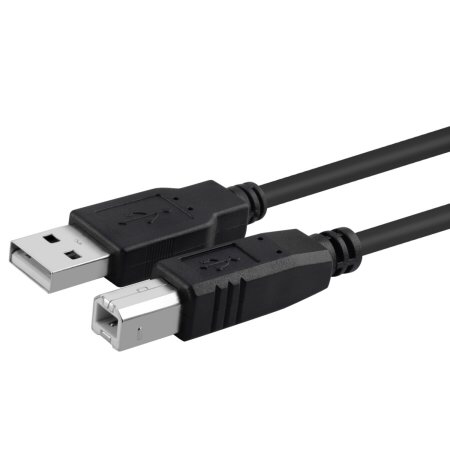
Download file from e-mail attachment to your desktop
Use USB-B cable to connect to machine (input on machine is on the front)
Now you PC will see the machine as a USB drive
Go to the USB drive on ‘This Computer’
You will see a folder called SCT_0003
Go to update folder
Delete the old firmware file in Update Folder. Not delete the file EXTU12_13 that is a Bluetooth file.
Apply the file from desktop to the Update folder
Eject the USB cable
Turn off machine, and then turn it ON
Was this article helpful?
Sorry about that! Care to tell us more?