How to change Classic Bluetooth module to low energy (BTLE) module.
Topbrewer Pro and compact
The module siding behind the touch panel:
Remove the display cover to get access to the classic Bluetooth module:
Disconnect the wire and replace the classic Bluetooth module with the new low energy module :
When you install the new low energy module you need to ground the module with copper foil (8 x 20 mm part no. 2008373) do not touch the glue with your fingers.
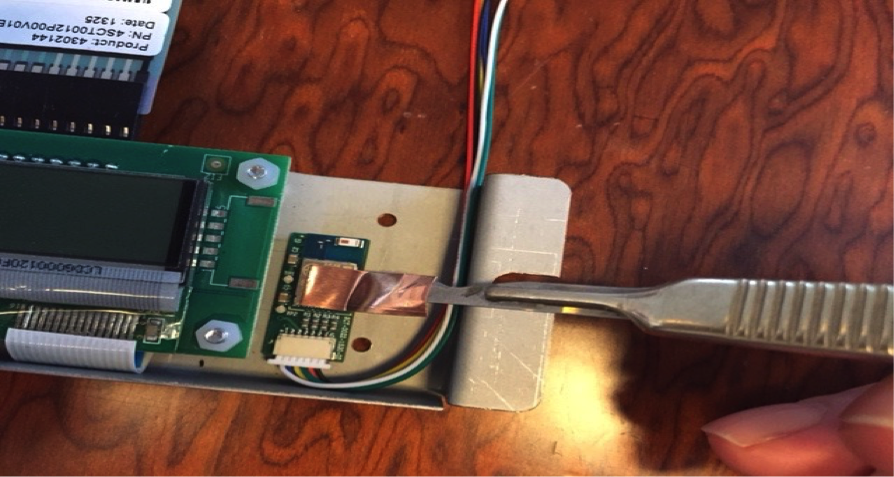
Fit the foil to metal cower.
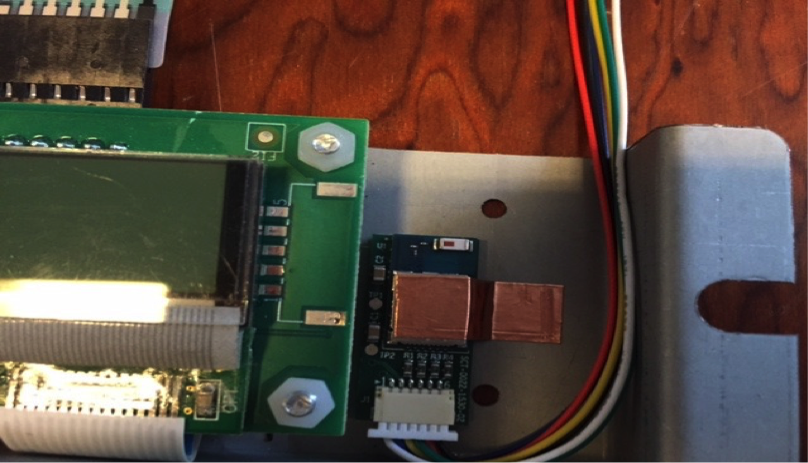
Fit the display cover to the box, and replace the box cover.
Setup in the barista program.
Barista program version 2.
How to:
Turn on machine
Connect USB cable
Go to Update folder
Delete firmware file
Add 3.1.10 + EXTUI2_10
Turn machine off.
Turn ON machine
Extra notes
Current state:
Firmware 3.0.6 will only work with Classic Bluetooth stabile
Firmware 3.1.10 will only work with Low Energy Blueotooth (Maybe also Classic but seeing some bugs
The forthcoming firmware 3.2 will be able to run either Classic or Low Energy Bluetooth.
External User Interface (only supported from 3.1.10)
You need to tell the machine which Bluetooth module you are running.
You do that by changing the number in the parameter “ExternalUserInterface”
Open the barista program
Open Setup and download from machine
Go to System parameters
Adjust External User Interface value corresponding to which module you have int the machine